Embracing the Cloud: Migrating AEM On-Premise to AEMaaCS
Migrating from AEM on-prem to AEM as a Cloud Service (AEMaaCS) is more than a simple “lift-and-shift”. It means adopting different ways of working and adjusting implementation and custom business logic to best practices (or at least to what is available in AEMaaCS). AEMaaCS provides a scalable, secure, and agile foundation for sites and assets, freeing IT teams to focus on innovation rather than manual upgrades.
Justification: Business Benefits of AEMaaCS
Migration to Cloud
Let’s plan the migration: Assessment, Planning, Setup
Implementation: Content Migration & Code Refactoring
Go-Live: Execution and Cutover
Run & Operate: Optimization and Cloud Operations
Justification: Business Benefits of AEMaaCS
Migrating to AEM as a Cloud Service unlocks significant business advantages for entire organizations:
- Automatically scales to handle traffic spikes, ensuring fast and consistent performance even during peak demand
- Reduces infrastructure overhead by shifting server, OS, and network management to Adobe, allowing teams to retire legacy hardware and lower costs
- Delivers continuous updates through built-in CI/CD, so authors and customers are always on the latest version with new features and security enhancements
- Accelerates development with cloud-native tools and environments, enabling faster delivery cycles and quicker time-to-market
- Provides strong security and compliance out of the box, including continuous monitoring and industry standards like SOC2 and ISO
Migration to Cloud
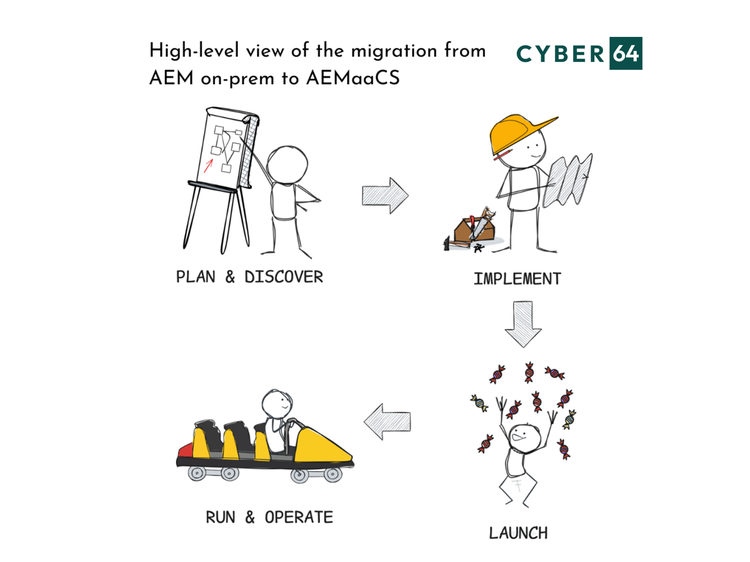
In the phased journey, I will explain in this article, teams first asses their current AEM project and prepare their new AEMaaCS environments, then migrate content and refactor code, execute the cutover and launch the new platform, and finally operate and optimize in the cloud. Each phase has its own milestones and best practices.
Let’s plan the migration: Assessment, Planning, Setup
Assessment
Run Adobe’s Best Practices Analyzer (BPA) on your current AEM instance to flag deprecated features and estimate migration effort. Review Adobe’s “notable changes” and “deprecated features” documentation to understand what must be rewritten or replaced.
Architecture Planning
Design your new cloud architecture. Set up Cloud Manager in Adobe Experience Cloud, configure source-control repositories, define CI/CD pipelines, and establish access policies. Analyze the custom business logic and decide where does it belong. If you are opting-out to decouple the responsibilities, consider adopting other useful concepts, like Infrastructure-as-Code for consistent provisioning of surrounding technical landscape.
Governance & Workflows
Update development and operations policies for a DevOps culture. Enforce CI/CD practices so that every code change triggers automated builds and tests in Cloud Manager. Update security and compliance processes: in the cloud, Adobe handles infrastructure security, but you still govern identity, permissions, and content governance.
Team Enablement
Train your teams on AEMaaCS’ differences (e.g. autoscaling, multi-tenancy) and on Cloud Manager workflows. Ensure developers understand new patterns (for example, the AEM Cloud Project archetype). Here is my short guide and resource collection on how to start with Adobe Cloud Manager – AEM Cloud Manager Quickstart
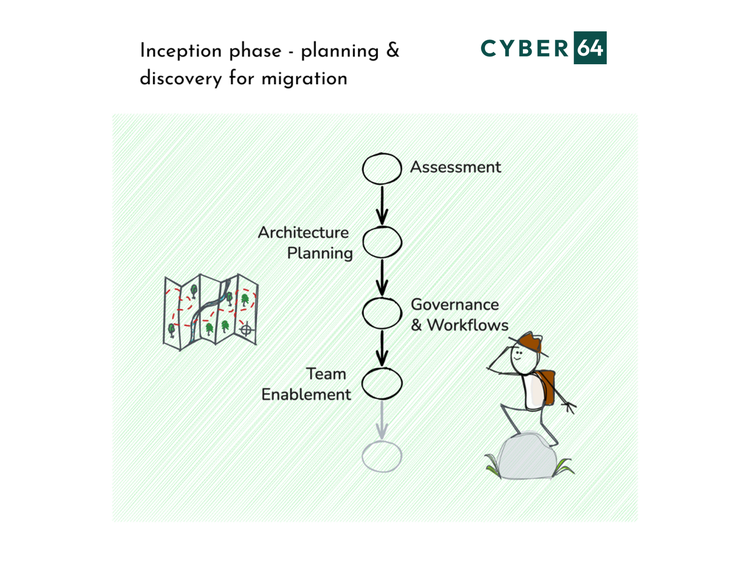
By the end of the first phase, you’ll have a clear migration plan, success criteria, and the infrastructure foundations in place. Tools like Adobe’s Cloud Acceleration Manager provide checklists and documentation to guide your planning and keep the project on track.
Implementation: Content Migration & Code Refactoring
In the Implementation phase your goal is to make your content and code cloud-ready.
Refactor your code: adopt the Cloud Project structure (separating mutable content from immutable code), remove or upgrade any deprecated APIs, and modernize custom components. For example, ensure workflows and configurations align with AEMaaCS best practices.
Use Adobe’s Content Transfer Tool (CTT) to move pages, assets, and content packages into the new AEMaaCS instance.
In parallel, Ops team should update your development pipelines. Configure Cloud Manager’s CI/CD pipeline so that commits to your repository trigger builds, automated quality checks, and deployment to test environments. Incorporate automated testing (unit, integration, UI) early so you catch issues quickly.
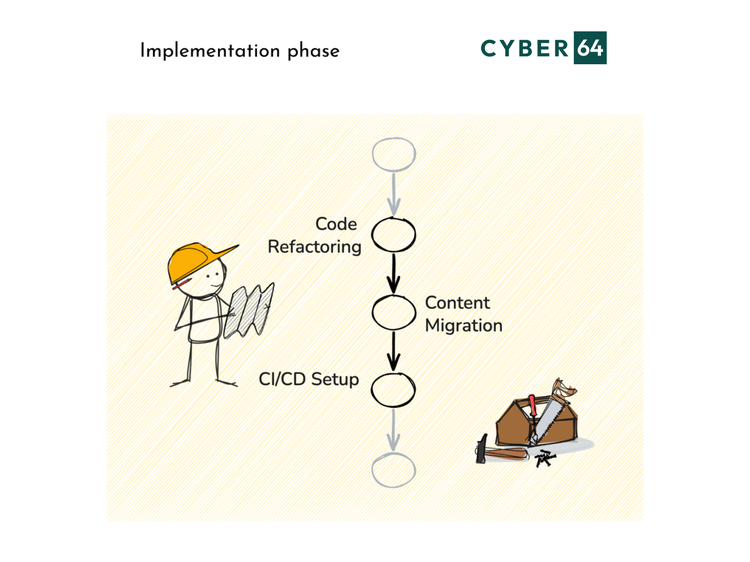
Throughout Implementation, always iterate: deploy to a lower environments via Cloud Manager, use capability for easy content migration between AEMaaCS instances, run smoke tests, fix issues, and repeat until the content and code work as designed in the discovery phase.
Go-Live: Execution and Cutover
In the Go-Live phase you execute the actual migration. Key steps include:
Final Production Deployment
Push the final refactored code to AEMaaCS using Cloud Manager. The Cloud Manager production pipeline runs your code through quality gates (smoke tests, regression suites) to ensure stability.
Content Freeze & Content Delta Migration
After a content freeze is announced, run a final sync of any changed content (using CTT or packaging) into the cloud environment.
Cutover
During a planned cutover window, switch traffic (DNS/CDN) from the old AEM instance to the new AEMaaCS instance. Monitor closely for performance or errors. Adobe’s cloud updates are usually seamless, but have rollback plans ready if needed.
Validation
Verify that all services are running correctly and that SLAs are met. Collaborate with stakeholders to confirm that critical features work as expected.
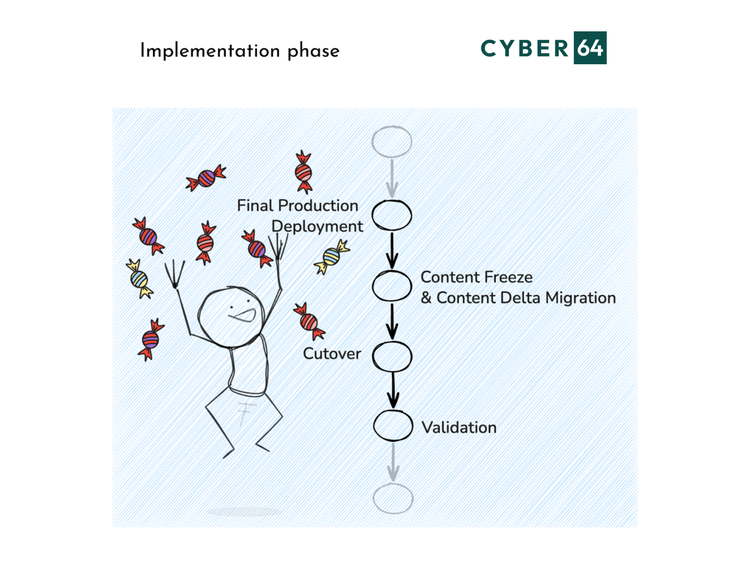
Congratulations, by the end of this phase, your new website is live on AEMaaCS.
Run & Operate: Optimization and Cloud Operations
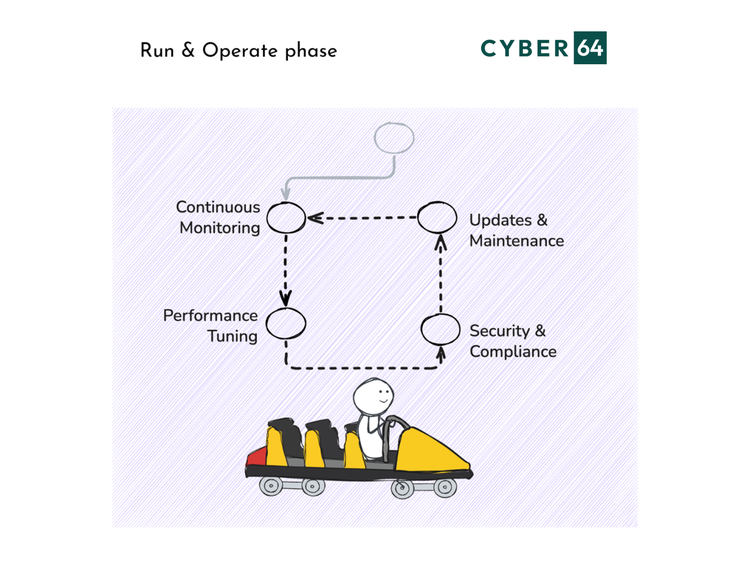
After go-live, the focus shifts to monitoring, optimization, and ongoing operations. In the cloud model, your responsibilities change.
Continuous Monitoring
Leverage AEMaaCS’s built-in observability. Adobe runs hundreds of cloud-native monitors on your environments 24/7. Use Application Performance Monitoring tools (such as New Relic, Elastic APM, etc. ) to visualize JVM metrics, response times, and more. Review Cloud Manager dashboards and logs for any anomalies.
💡 Tip: If you identify challenges with performances and high number of requests, consult our guide about optimization of AEMaaCS license costs, consult our guide - How To Lower AEMaaCS License Costs: 5 Cost-Reduction Tips To Save https://cyber64.com/blog/how-to-lower-aemaacs-license-costs-5-cost-reduction-tips-to-save/
Performance Tuning
Adjust caching, dispatcher rules, and auto-scaling thresholds as needed. Perform periodic load and security testing. Since AEMaaCS auto-scales under load, ensure your content and code remain performant at any scale.
Updates & Maintenance
One of the biggest advantages of AEMaaCS is automatic updates. Adobe continuously integrates and deploys new AEM versions across all environments via CI/CD pipelines. Updates are rolled out first to development/stage (acting as a quality gate) before production, with automated health checks that prevent bad relases. This means your site stays on the latest version with minimal downtime.
Security & Compliance
AEMaaCS follows a proactive security model. Adobe handles patching, OS updates, and infrastructure security continuously. Still, your team should review security reports and comply with any audit requirements (for example, encrypt sensitive content, enforce least privilege).
Regularly revisit your governance policies to reflect that infrastructure ops are now managed by Adobe. Your team’s focus shifts to optimizing authoring workflows, refining content models, and delivering business value rather than managing servers.
Read more in official migration documentation by Adobe https://experienceleague.adobe.com/en/docs/experience-manager-cloud-service/content/migration-journey/getting-started